Friday, January 4, 2019

HOW TO CRACK "ITIL" FOUNDATION EXAM IN ONE SHOT

Related image

ITIL has got many definitions and terminologies which are frequently asked in the foundation exams. So you have to be careful and strong with the terms and definitions that are mentioned in ITIL.
For example questions are asked like "What process in ITIL?" So you have to be particular about the terms.
Selection of a good trainer
Before starting with the preparations you should have 2-3 days of thorough classroom training from a trainer who will explain you about the entire course keeping in mind the Foundation Exams.
Through Revision
The ITIL Foundation exam will be a big challenge for you if you are not clear with your course material. It will churn your mind if you have not gone through the course material. So before appearing for the foundation exams go through the course material thoroughly and have a proper revision.
Practice the Sample question sets
The practice sample question booklets come with separate question and answer set so you can practice the questions without looking at the answers. You can have a real time exam experience while solving the paper.
Later on you can take a look at the answer booklet and check for the wrong answers and correct your mistakes.
Giving Mock Exams
Try to appear for mock test and score more than 26 out of 40.This will give you confidence before appearing for the final ITIL exam.
Appear for easy questions first
Always appear the easy questions first, it will give you confidence and create less anxiety.
Do not lose your momentum and delay for the exams. Give your exams as soon as your training ends because you will have fresh stuff in your mind. People delay in giving exam saying that they want to go through the course content and understand the subject matter.
It is best if you appear for your final exams within a week or two after your training session it will keep things fresh in your mind.
The Information Technology Infrastructure Library is a set of best IT practices that are designed to provide a quality IT service Management for an organization. It is being utilized by almost all professionals in the world as it gives guide as to how an organization is designing, operating and maintaining its IT services. It covers the entire Service lifecycle in five stages namely
  • Service Strategy
  • Service Design
  • Service Transition
  • Service Transition
  • Service Operation
  • Continual Service Improvement
The main objective of Service Management is to check whether the IT services are aligned to the business or not and if they are an active part of the organization or not. It is generally implemented by the organizations when an organization plans for a change. This process is the most effective way to implement changes in the IT services as it involves standardized methods and procedures to effectively take up any IT infrastructure changes. ITIL ensures that the organization follows the procedures so that it gives a predictable result.
The organizations that use IT depend on it to be successful. If the IT services are managed and supported in the proper way then it will take the organization to greater heights.

WHY IT IS IMPORTANT

It provides many techniques to adapt to the changes that come into action in the business world. The Continual Service Improvement stage if the ITIL tells us about how an organization can adapt itself to the changing business environment.
The organizations that do not follow a sequential order or a process based approach, generally end up with low quality and higher cost services. ITIL gives a particular set of process that follows a sequence which in turn brings a consistency in the organization.
The IT services generally face problem with the customer support team. With ITIL they can respond to their requests and also ensure that the requests are managed properly and effectively with a lower cost to provide services and at a higher quality rate.
Responsibility means being answerable to someone for something. In other words responsibility is accountability which means in an organization the work should not be handed over from one person to another. If an organization will lack accountability then the quality of service that it provides will degrade.

ITIL encourages effective communication and also clearly defines the roles of the employees who is accountable for what which reduces the moving of the requests of customers throughout the organization.
  • The ITIL Foundation exam consists of a set of 40 questions to be answered and the time allotted is 60 minutes.
  • Each question will have 4 options.
  • A candidate has to get 26 questions correct out of 40 to pass the foundation level examination and get ITIL certified.
  • There is no negative marking in the exam.
  • The exam tests the level of understanding you have not the level of memorizing power you have.
  • It depends on how well you have understood the concepts not about which correct option you choose.
ITIL Foundations is an important certification for the IT Professionals and employees who are looking forward to a better career in IT and want to get more knowledge in IT. All organizations are following the ITIL process to adapt to the changes in the business world. ITIL Foundation is just a start of a long journey.

Difference between OSI and TCP/IP Reference Model


Now it's time to compare both the reference model that we have learned till now. Let's start by addressing the similarities that both of these models have.
Following are some similarities between OSI Reference Model and TCP/IP Reference Model.
·         Both have layered architecture.
·         Layers provide similar functionalities.
·         Both are protocol stack.
·         Both are reference models.

Following are some major differences between OSI Reference Model and TCP/IP Reference Model, with diagrammatic comparison below.
OSI(Open System Interconnection)
TCP/IP(Transmission Control Protocol / Internet Protocol)
1. OSI is a generic, protocol independent standard, acting as a communication gateway between the network and end user.
1. TCP/IP model is based on standard protocols around which the Internet has developed. It is a communication protocol, which allows connection of hosts over a network.
2. In OSI model the transport layer guarantees the delivery of packets.
2. In TCP/IP model the transport layer does not guarantees delivery of packets. Still the TCP/IP model is more reliable.
3. Follows vertical approach.
3. Follows horizontal approach.
4. OSI model has a separate Presentation layer and Session layer.
4. TCP/IP does not have a separate Presentation layer or Session layer.
5. Transport Layer is Connection Oriented.
5. Transport Layer is both Connection Oriented and Connection less.
6. Network Layer is both Connection Oriented and Connection less.
6. Network Layer is Connection less.
7. OSI is a reference model around which the networks are built. Generally it is used as a guidance tool.
7. TCP/IP model is, in a way implementation of the OSI model.
8. Network layer of OSI model provides both connection oriented and connectionless service.
8. The Network layer in TCP/IP model provides connectionless service.
9. OSI model has a problem of fitting the protocols into the model.
9. TCP/IP model does not fit any protocol
10. Protocols are hidden in OSI model and are easily replaced as the technology changes.
10. In TCP/IP replacing protocol is not easy.
11. OSI model defines services, interfaces and protocols very clearly and makes clear distinction between them. It is protocol independent.
11. In TCP/IP, services, interfaces and protocols are not clearly separated. It is also protocol dependent.
12. It has 7 layers
12. It has 4 layers

Thursday, January 3, 2019

Malware And Ransomware: What Is the Difference?


We all know very well that the attack of global ransomware, of course, I am talking about the famous WannaCry has not only shown the power of so-called security and safety systems of hundreds of companies around the world but also depicted the necessity of importance of strong and proper security systems. Hence, today in this post we will discuss about differences between malware and ransomware.

If you use a computer, then you must have heard about viruses, malware, trojans, worms, ransomware, spyware but you probably do not know what is the difference between them?

Basically, all these terms usually come under the word virus, especially at the informal level, but it is incorrect. Hence, we have classified them all with their specific name and category.
As worms, viruses and trojans along with other malicious programs are simply comes under the category of malware, which means malicious software.
The malware word itself defines that it is a type of software that mainly aims to infiltrate a computer or computer system without the consent of the user.
Moreover, it merely depends on the effects and the way of infecting the computer or device, the malware is classified into several types, ranging from computer viruses to trojan, spyware, adware, worms, ransomware and other malicious programs.
And not only that even some of them have the ability to self – replicate, others work with their backs to the user and simply steal bank data from the user and in some cases, they even completely block the computer as well.
So, now without wasting much time let’s get started, as here in this article, we will just explain you all about malware and ransomware along with the differences between them, simply to make you know and understand exactly what they can do and the best way to avoid them.

What is a virus?

Virus 1024x570 - Malware And Ransomware: What Is the Difference?
Basically, a virus is a computer program that is simply designed to damage any device in some way and it has two main characteristics, first, it acts transparently to the user and has the ability to self-replicate.
But, many of you might be thinking that why it is called virus? It is called the virus simply due to the resemblance to the biological virus, it is also called a virus.
As in the case of a computer virus, what is infected are the files using the malicious code, although for that the user must execute the file that contains that virus.
The effects vary greatly depending on what exactly the virus that has infected the computer but apart from all these things what any virus commonly do is it simply slow down the computer and repeatedly modify their normal behavior until the infected system reaches the point of irreparable damage. And guess what’s the most interesting thing about this is that all this happen without the user’s consent.
Moreover, the first computer virus is known as Creeper which was basically designed by Bob Thomas in 1971 and its main objective was not to cause any damage to the infected computers, as it was an experiment to check if a program could be created that moved between computers as it had proposed in 1939 the mathematical scientist John Louis Von Neumann.
The term “computer virus” was not coined until the eighties, when the first viruses that spread massively among computers appeared, such as Elk Cloner, which is programmed by a 15-year-old student for the Apple II series computers.

What is Malware?

Malware 1024x565 - Malware And Ransomware: What Is the Difference?
As we told earlier that the world malware itself defines that it is a “malicious software” which is specially designed to gain access to the user’s computer.
As it can simply track the sites that the user visits and cause actions that the user can completely ignore. Malware usually takes the form of keyloggers, viruses, worms or spyware and can be used to steal confidential information or spread unwanted emails. However, nowadays, this deceptive software are usually used to generate a stack of revenue through integrated advertising.
Recently, a Malware, released by a Chinese digital merchant who worked for Rafotech, converted more than 250 million web browsers worldwide into advertising revenue generation engines. Almost 20% of corporate networks were affected by this Malware. Subsequently, it was discovered that most of the circulation of the same was simply due to the grouping. The malware gets installed without the user’s permission along with some desired malicious programs.
As if you all remember then let tell you all about a well-known malware known as Judy which infected 36.5 million Android devices. This Malware was found in 41 applications, all developed by a Korean company, Kiniwini, which used the same strategy of producing false clicks in ads simply to generate revenue through deceptive means. Most of the harmful applications were in the official store of Android, of course, I am talking about none other than the Google Play, which simply raises serious questions about the security of Android.

What is Ransomware?

Ransomware - Malware And Ransomware: What Is the Difference?
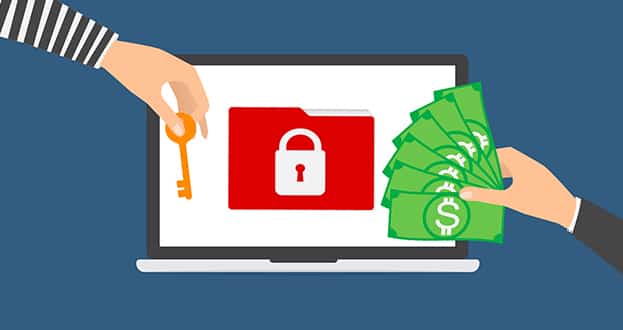
Now after knowing about virus and malware, it’s time to know about Ransomware. Basically, it is a type of malware that simply blocks or hijack the access of your computer and simply block the access to the system until a required ransom is paid. Basically, the required ransom is requested in the form of virtual cryptocurrencies like Ether or Bitcoins.
However, nowadays, instead of blocking the user’s keyboard or computer, each file get encrypted with a private key that only the authors of the Ransomware know. And not only that even there is no guarantee that if the demanded ransom is paid then the developer of the ransomware will unlock it or not.
If you all remember then let me tell you all that in May 2017, a large-scale cyber attack was generated by the WannaCry Ransomware that infected more than 300,000 computers in 150 countries. And not only that even another Ransomware, known as Petya, has interrupted the operation of several big companies.
Basically, Petya is designed to look like a Ransomware, as its structure does not have any information retrieval scheme at all. After restarting the victim’s computer, Petya encrypts the master file table (MFT) of the hard disk and causes failures in the master boot record (MBR). The encrypted code is replaced by its own malicious code, which simply doesn’t allow you from booting your computer, and then a screen shows a ransom note.

How they spread?

Most of the spread of Malware occurs through emails with links that claim to have certain information that users with little computer knowledge can find interesting. Once the user clicks on that link, he/she is redirected to a fake website that looks like the real one.
Then, to access the information or the required program, the user is requested to download the software. If the user downloads that software, his/her computer becomes infected. Among the main sources of cyber attacks are websites and pop-ups that claim to offer free content, such as music or free movies.

Digital Evidence


Digital Evidence

Digital evidence is defined as information and data of value to an investigation that is stored on, received or transmitted by an electronic device1. This evidence can be acquired when electronic devices are seized and secured for examination. Digital evidence: Is latent (hidden), like fingerprints or DNA evidence.


Wednesday, January 2, 2019

Computer Forensics Investigation Process


Computer Forensics Investigation Process

The computer forensics investigation process is a methodological approach of preparing for an investigation, collecting and analyzing digital evidence, and managing the case from the reporting of the crime until the case'™s conclusion.

Malware-based attack hit delivery chain of the major US newspapers

US newspapers


The LA Times revealed that a malware-based attack hits the delivery chain of the major US newspapers delaying the hardcopy distribution.

A malware-based attack originated outside the US hit US major US newspapers delaying their hardcopy distribution.

According to the LA Times, the attack was carried out on Saturday, it hit
a computer network at Tribune Publishing which is connected to the production and printing process of multiple major US newspapers. Initially, the experts assumed it was a server outage, but further investigation revealed the problems were caused by a malware infection.

“What first arose as a server outage was identified Saturday as a malware attack, which appears to have originated from outside the United States and hobbled computer systems and delayed weekend deliveries of the Los Angeles Times and other newspapers across the country.” reported the LA Times.

“Technology teams worked feverishly to quarantine the computer virus, but it spread through Tribune Publishing’s network and reinfected systems crucial to the news production and printing process. Multiple newspapers around the country were affected because they share a production platform.”

The delivery of the Saturday editions of the LA Times and San Diego Union Tribune was delayed due to the cyber attack,
Delays were also reported for the distribution of West Coast editions of the New York Times and Wall Street Journal, both printed at the printing plant of the LA Times.

At the time it is not possible to estimate how many subscribers were impacted by the cyber attack, but a majority of LA Times customers received their newspapers with several hours of delay.

“We believe the intention of the attack was to disable infrastructure, more specifically servers, as opposed to looking to steal information,” said the source, who spoke on condition of anonymity because he was not authorized to comment publicly. The source would not detail what evidence led the company to believe the breach came from overseas.
The paper cited officials as saying it was too soon to know whether it was carried out by state or non-state actors.

“We are aware of reports of a potential cyber incident effecting several news outlets, and are working with our government and industry partners to better understand the situation,” said Katie Waldman, a spokeswoman for the Department of Homeland Security.

IP address and Subnet Mask


For constructing a network, first, we need to understand how IP address works. An IP address is an Internet protocol. It is primarily responsible for routing packets across a packet switched network. The IP address is made up of 32 binary bits that are divisible to a network portion and host portion. The 32 binary bits are broken into four octets (1 octet = 8 bits). Each octet is converted to decimal and separated by a period (dot).

An IP address consists of two segments.

Network ID- The network ID identifies the network where the computer resides
Host ID- The portion that identifies the computer on that network


These 32 bits are broken into four octets (1 octet = 8 bits). The value in each octet ranges from 0 to 255 decimal. The right most bit of octet holds a value of 20 and gradually increases till 27 as shown below.

Let's take another example,
For example, we have an IP address 10.10.16.1, then first the address will be broken down into the following octet.
.10
.10
.16
.1
The value in each octet ranges from 0 to 255 decimal. Now, if you convert them into a binary form. It will look something like this, 00001010.00001010.00010000.00000001.


IP addresses are classified into different classes:


Class A
0-127
For internet communication
Class B
128-191
For internet communication
Class C
192-223
For internet communication
Class D
224-239
Reserved for Multicasting
Class E
240-254
Reserved for research and experiments
To communicate over the internet, private ranges of IP addresses are as per below.


Class Categories

Class A
10.0.0.0 – 10.255.255.255

Class B
172.16.0.0 - 172.31.255.255

Class C
192-223 - 192.168.255.255

Subnet and Subnet Mask

For any organization, you might require a small network of several dozen standalone machines. For that, one must require setting up a network with more than 1000 hosts in several buildings. This arrangement can be made by dividing the network into subdivision known as Subnets.
The size of network will affect,
  • ·         Network class you apply for
  • ·         Network number you receive
  • ·         IP addressing scheme you use for your network

Performance can be adversely affected under heavy traffic loads, due to collisions and the resulting retransmissions. For that subnet masking can be a useful strategy. Applying the subnet mask to an IP address, split IP address into two parts extended network address and host address.

Subnet mask helps you to pinpoint where the end points on the subnet are if you are provided within that subnet.

Different class has default subnet masks,
Class A- 255.0.0.0
Class B- 255.255.0.0
Class C- 255.255.255.0

Tuesday, January 1, 2019

Evading IDS, Firewalls and Honey pots


Evading IDS, Firewalls and Honey pots


Evading IDS, Firewalls and Honeypots. An Intrusion Detection System (IDS) is a device or software application that monitors network and/or system activities for malicious activities or policy violations and produces reports to a Management Station.


Securing Against Developer Pressure

Image result for Securing Against Developer Pressure


Rather than preparing for the worst, the race to grab market share in IoT has vastly increased pressure on developers to deliver without a thought for the consequences or potential risks. Software-first companies expect new innovations 24/7 but are not always enabling developers to make allowances for security – or worse, leaving it the hands of the end-user to constantly update their applications.
 
We’re reaching a tipping point and developers are right in the middle of this scale. To continue building, we must acknowledge the threats and embrace the tools to tackle them.
 
Hackers don’t discriminate
It is no longer acceptable to consider any connected software a finished product. Software maintenance must stretch to cover the lifetime of the product. In 2017, Canonical carried out research with IoT professionals, which showed that over two thirds felt a lack of an agreed industry security standard put the IoT at risk.
 
As a first step on the road to a more secure connected ecosystem, Canonical created snaps – to allow any developer to publish an application (snap) to an audience of millions of Linux systems and connected devices. In the simplest of terms, a snap is a containerized software package, meaning it cannot modify or be modified by another snapped application. Any access to the system beyond its confinement must also be explicitly granted by the owner to ensure its ongoing validity.
 
Containing the threat
The thinking behind this format was twofold: convenience for the developer; and security for the end user. The point of the snap package is that it uses the same underlying security mechanisms as containers: they’re confined from the OS but can still exchange content and functions with other apps according to policies controlled by the administrator, through the Snap Store. Snapped applications cannot peer into the storage of other snaps, nor by default see into the system storage.
 
It’s important for snaps to operate this way because it allows for more advanced features to be built into the format. Snapcraft, the tool to build snaps, enables authors to push software updates that install automatically and roll back in the event of failure. The likelihood of a renegade update compromising the snap is, therefore, greatly reduced. If a security vulnerability is discovered in the libraries used by an application, the app publisher is simply notified so that the snap can be rebuilt quickly with the supplied fix.
 
We feel that others should follow this lead because it not only streamlines the process for developers, allowing them to spend time on what really matters, but also helps guarantee IoT security. In bundling their runtime dependencies, snaps are more easily managed and distributed – a single build artefact can target multiple Linux distributions. And as they’re both confined and tamper-proof, snaps remove many of the pitfalls developers face when rushing solutions to market.

The vital developer role

Before Snapcraft and snaps, many developers traded the evolution and growth of their software for a sense of safety, treating their code as immutable. It would ship and never be updated. That’s because many device makers often view a clogged support line as more convenient than a security breach. However, with snaps, developers can reclaim the role of chief innovator through a new-found sense of confidence. Confidence in their own software but also in the layers beneath them from other developers.
 
The surface area of software is expanding. Snaps support the developer, who has found his role to be all-encompassing, with all the expectations that come with it. Snaps were created to arm them with the tools to match this new job description. The added layers of security will help developers create in confidence, leading to the next generation of applications. Security should act in the background as the enabler, not the primary focus of developers, whose time is already stretched to breaking point. Snaps can be the solution.

Which Python course is best for beginners?

Level Up Your Python Prowess: Newbie Ninjas: Don't fret, little grasshoppers! Courses like "Learn Python 3" on Codecade...