Friday, June 21, 2019

Thursday, June 20, 2019
Network devices
A hub serves as a
central point to which all of the hosts in a network connect to. A Hub is an
OSI Layer 1 device and has no concept of Ethernet frames or addressing. It
simply receives a signal from one port and sends it out to all other ports.
Here is an example 4-port Ethernet hub (source: Wikipedia):

Today, hubs are
considered obsolete and switches are commonly used instead. Hubs have numerous
disadvantages. They are not aware of the traffic that passes through them. They
create only one large collision domain. A hub typically operates in half
duplex. There is also a security issue with hubs since the traffic is forwarded
to all ports (except the source port), which makes it possible to capture all
traffic on a network with a network sniffer!
NOTE
Hubs are sometimes called multiport repeaters.
Hubs are sometimes called multiport repeaters.
Like hubs, a switch is
used to connect multiple hosts together, but it has many advantages over a hub.
Switch is an OSI Layer 2 device, which means that it can inspect received
traffic and make forwarding decisions. Each port on a switch is a separate collision
domain and can run in a full duplex mode (photo credit: Wikipedia).

How switches work
Let’s take a look at the
following example:

Host A is trying to
communicate with Host B and sends a packet. A packet arrives at the switch,
which looks at the destination MAC address. The switch then searches that
address in its MAC address table. If the MAC address is found, the switch then
forwards the packet only to the port that connected to the frame’s destination.
If the MAC address is not found, the switch will flood the frame out all other
ports. To learn which MAC address is associated with which port, switches
examine the source MAC addresses of the receiving packet and store that MAC
addresses in their MAC address table.
A MAC address table
lists which MAC address is connected to which port. It is used by switches to
make forwarding decisions. The table is populated by examining the source MAC
address of the incoming packet. If the source MAC address of a packet is not present
in the table, the switch adds an entry to it’s MAC address table.
The picture below show
how a MAC address table on a switch looks like:

A router is a device that routes packets from
one network to another. A router is most commonly an OSI Layer 3 device.
Routers divide broadcast domains and have traffic filtering capabilities.
The picture below shows
a typical home router:

How routers work
A router uses IP
addresses to figure out where to send packets. If two hosts from different
networks want to communicate, they will need a router between them to route
packets
For example, consider
the following example network:

Host A and host B are on
different networks. If host A wants to communicate with host B, it will have to
send a packet to the router. The router receives the packet and checks the
destination IP address. If the destination IP address is in the routing table,
the router will forward the packet out the interface associated with that
network.
A routing table lists a
route for every network that a router can reach. It can be statically
configured (using IOS commands) or dynamically learned (using a routing
protocol). It is used by routers when deciding where to forward packets.
The picture below shows
how a routing table looks like:

The command to display
an IP routing table is show ip route. In
the picture above, you can see that this router has two directly connected
subnets. Let’s take a closer look at the first entry in the routing table:

C means that the route is a directly
connected route. The network in question is 10.0.0.0/8, and the router will
forward each packet destined for that network out interface FastEthernet0/1.
NOTE
In Windows, you can use the netstat -r command to display the routing table of your system.
In Windows, you can use the netstat -r command to display the routing table of your system.


Wednesday, June 19, 2019
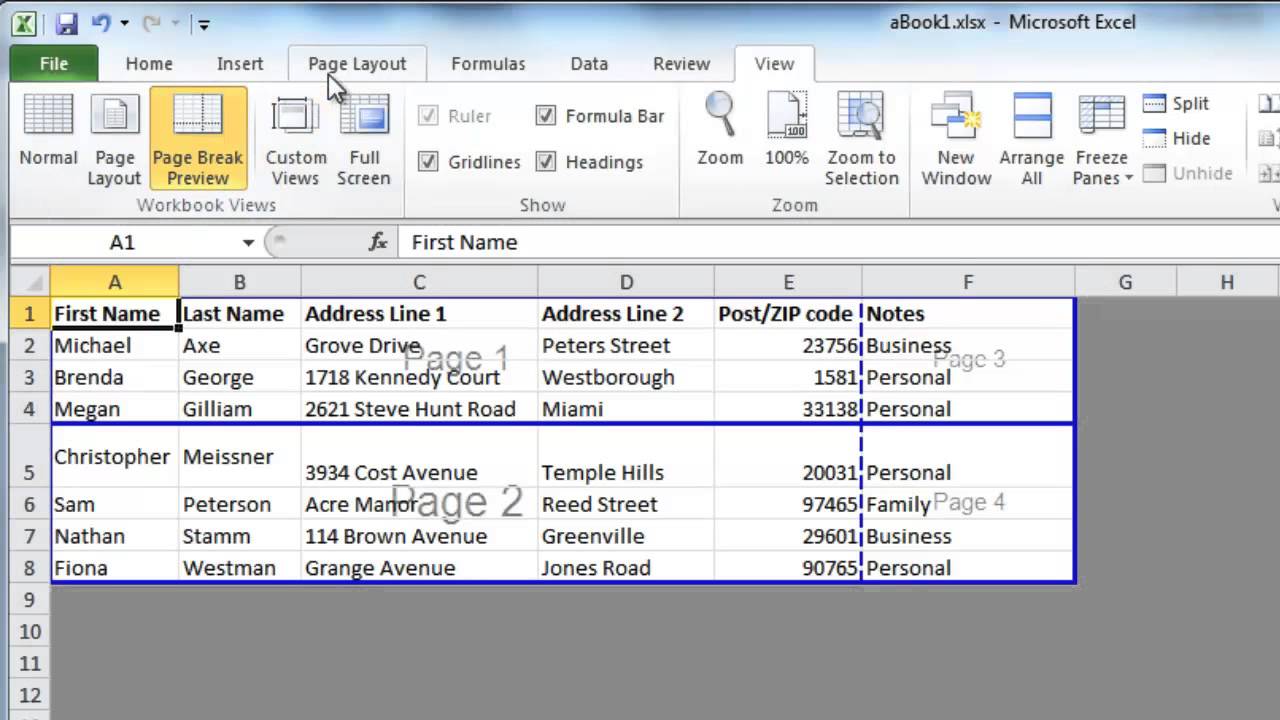
Difference Between For & While Loop
Difference Between for and while loops
| for | while |
|---|---|
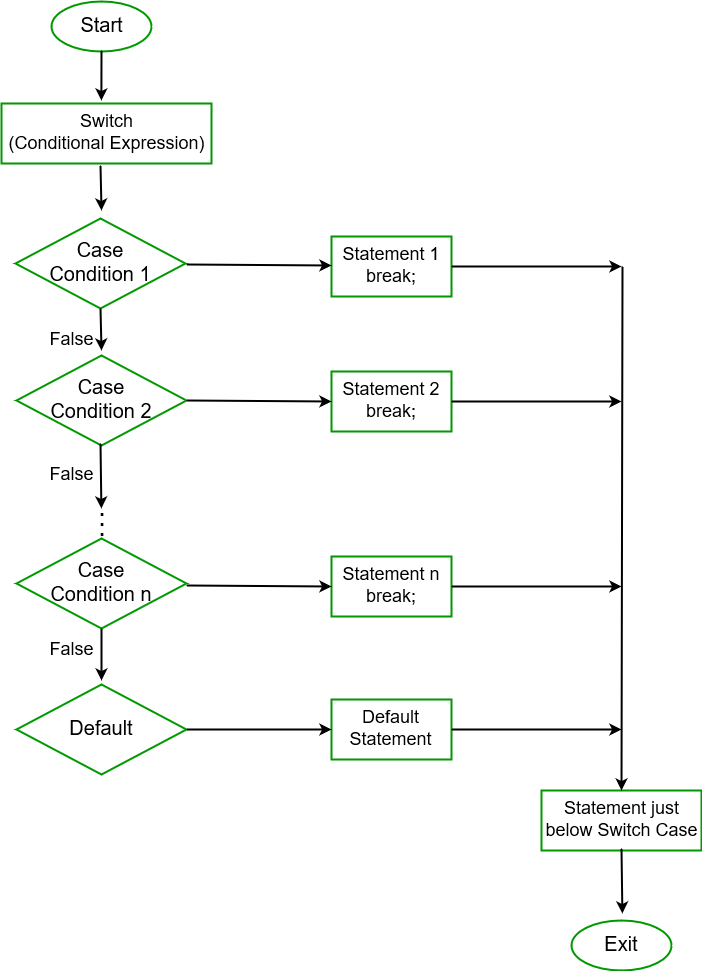
Syntax of
for loop:for(initialization; condition; iteration)
The initialization is an assignment statement that is used to set the loop control variable. The condition is a relational expression that determines when the loop exits. The incrementdefines how the loop control variable changes each time the loop is repeated. The body of loop can either be empty or a single statement or a block of statements.
The
for(initialization; condition; iteration)
is equivalent to
initialization; |
Syntax of
while loop:while(condition)
The condition may be any expression, and true is any non-zero value. The loop iterates while the condition is true. When the condition becomes false, program control passes to the line of code immediately following the loop.
|
Pragmatic use of
for loop: the for is preferable when there is a simple initialization and increment; since it keeps the loop control statements close together and visible at the top of the loop. This is most obvious infor (i = 0; i < n; i++) { which is most often seen while processing array elements. |
Pragmatic use of
while loop: on the other hand while is preferable when the initialization is not just a simple assignment operation and so like increment. For example, in while ((c = getchar()) == ' ' || c == '\n' || c = '\t');there is no initialization or re-initialization, so the while is most natural. |
Gandcrab Ransomware
Gandcrab Ransomware
It is one of the most famous computer virus. Gandcrab is a ransomware spread through malvertisements, explicit websites, or spam emails, which leads the user to Rig Exploit Kit Page or GrandSoft EK page. Through these pages, Gandcrab makes an entry into users’ systems and devices.
Once ransomware is active on the system, it starts to gather user’s personal information such as username, keyboard type, presence of antivirus, IP, OS version, current Windows version etc. Dangerous computer virus Gandcrab makes its next move on the basis of information collected. After which it kills all tasks & processes running on system so that it can start encrypting the data and files present in system.
It then generates public and private keys on user’s system, which are then forwarded to C2 server hosted on .bit domain.
As soon as the key is delivered it starts its process of encryption by using public key generated and adds ‘.GDCB’ extension to all encrypted files. After this, it sends a file containing ransom message on the user’s system in return for decryption of their data. The name of the file with ransom message is ‘GDCB-DECRYPT.txt’.
– Regular backup of important data and files.
– Update operating system and applications.
– In case of attack, try using ransomware decryption tools.
Tuesday, June 18, 2019
Jokeroo
Jokeroo:
This computer virus also works as Ransomware-as-a-Service and it is being promoted on Twitter via underground hacking sites. This computer threat allows affiliates to gain access to a functional ransomware and payment server. Jokeroo started promoting itself as a GrandCrab Ransomware on Exploit.in.

- Practice safe browsing
- Update operating system and security applications
- Regular backup of files and other important data
tracking changes in excel
Tracking changes in excel
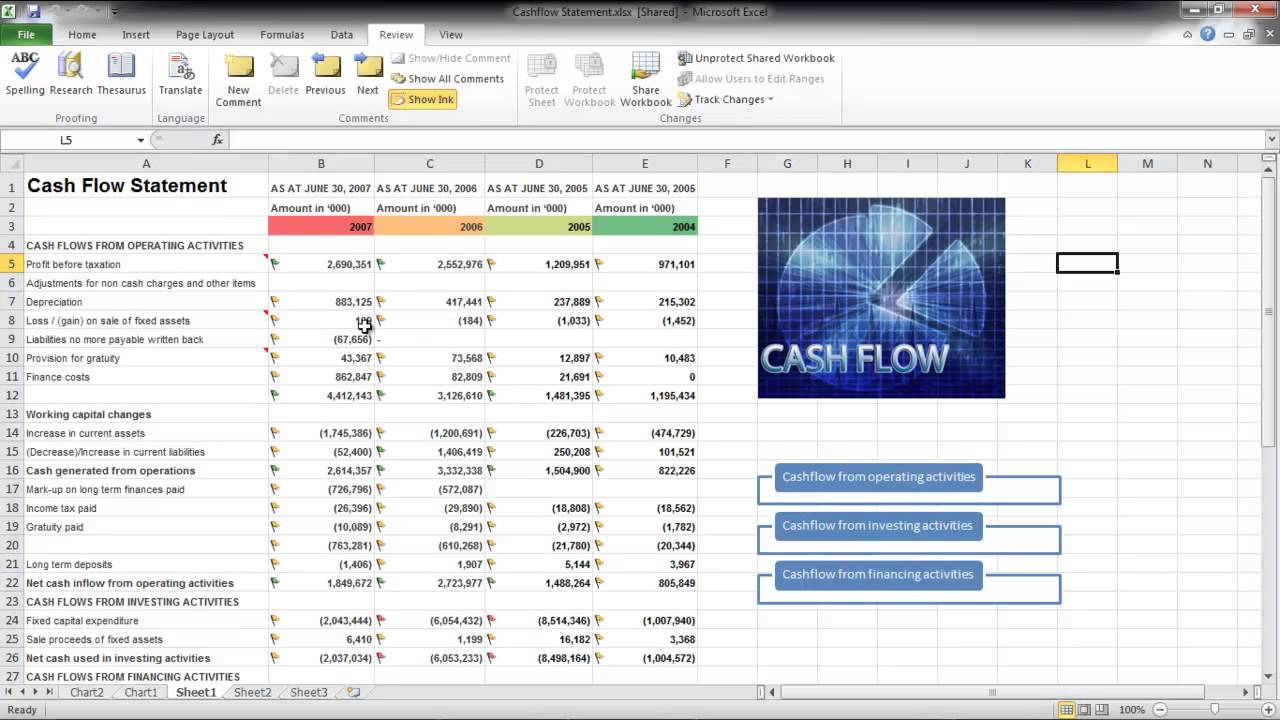
Here are the steps to enable track changes in Excel:
- Go to the Review tab.
- In the Changes group, click on the Track Changes option and select Highlight Changes.
- In the Highlight Changes dialog box, check the option – 'Track changes while editing. This also shares your workbook'. ...
- Click OK.
Monday, June 17, 2019
Java Interview Questuion


Q #1) What is JAVA?
Ans: Java is a high-level programming language and is platform independent.
Java is a collection of objects. It was developed by Sun Microsystems. There are a lot of applications, websites and Games that are developed using Java.

Q #2) What are the features in JAVA?
Ans: Features of Java:
- Oops concepts
- Object-oriented
- Inheritance
- Encapsulation
- Polymorphism
- Abstraction
- Platform independent: A single program works on different platforms without any modification.
- High Performance: JIT (Just In Time compiler) enables high performance in Java. JIT converts the bytecode into machine language and then JVM starts the execution.
- Multi-threaded: A flow of execution is known as a Thread. JVM creates a thread which is called main thread. The user can create multiple threads by extending the thread class or by implementing Runnable interface.

Q #3) How does Java enable high performance?
Q #4) What are the Java IDE’s?
Ans: Eclipse and NetBeans are the IDE's of JAVA.
Q #5) What do you mean by Constructor?
Ans: The points given below explain what a Constructor is in detail:
- When a new object is created in a program a constructor gets invoked corresponding to the class.
- The constructor is a method which has the same name as class name.
- If a user doesn’t create a constructor implicitly a default constructor will be created.
- The constructor can be overloaded.
- If the user created a constructor with a parameter then he should create another constructor explicitly without a parameter.
|
Subscribe to:
Posts (Atom)
-
Level Up Your Python Prowess: Newbie Ninjas: Don't fret, little grasshoppers! Courses like "Learn Python 3" on Codecade...
-
 Java OOPs Concepts In this page, we will learn about the basics of OOPs. Object-Oriented Programming is a paradigm that provides many...
